
You find the gadget you’ve been looking for on a second-hand marketplace. The seller says another buyer is on the way and asks you to send a deposit by Interac e-Transfer. You open your banking app. That moment, with the seller waiting and your thumb hovering over Send, is where RBC’s new scam warning is designed to intervene.
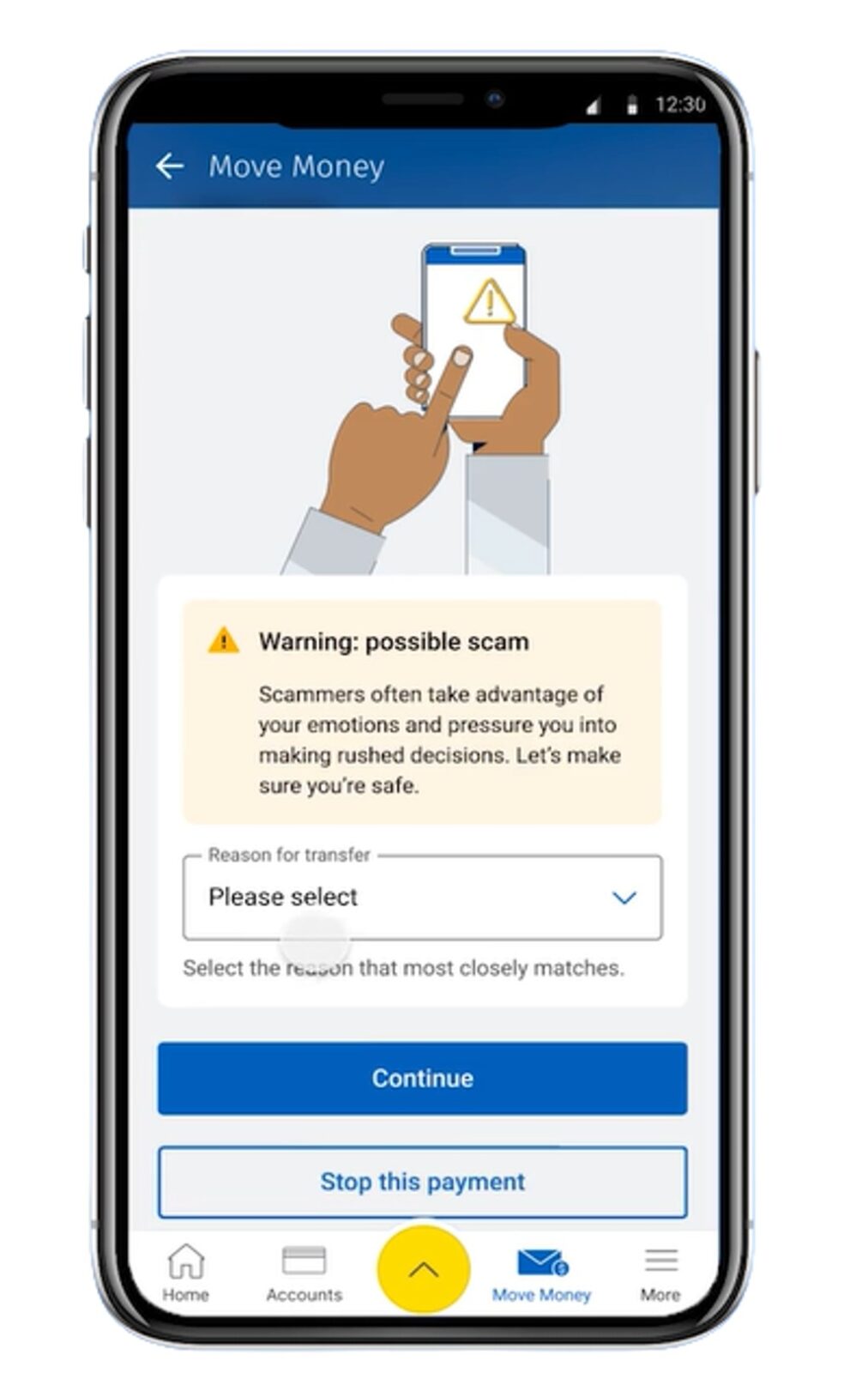
RBC calls the feature Scam Intercept Messages. It can appear in RBC Mobile or Online Banking when the bank flags a potentially suspicious outgoing Interac e-Transfer. The launch comes as RBC’s 2026 Holiday Shopping Scams Poll found that 70% of respondents worried they or someone they knew would fall for a scam while shopping for Black Friday or the holidays. Those two pieces of news point to a practical question for shoppers. What should you check before you send money?
What RBC’s holiday shopping poll found
In the survey, 72% said AI was making it almost impossible to distinguish real from fake when shopping online. More respondents said AI made fake ads (84%) and fake online retailers (82%) harder to spot. And 54% said they regularly saw social media posts from fake retailers or brands. These figures capture what shoppers report seeing and how they feel about it. The poll did not test whether they could identify a fake storefront.
The finding I’d pay the most attention to is about rushing. While 68% said it was easy to miss scam signs when they were in a hurry, 23% said they at least sometimes skipped checks they knew they should do when pressed for time. Just 37% said they always looked closely at the web address before buying from an unfamiliar retailer they found online. In B.C., 74% planned to do at least some of their Black Friday or holiday shopping online, and 58% said they regularly saw posts from fake retailers or brands.
RBC surveyed 1,503 Canadian adults on the Angus Reid Forum from Oct. 6 to 13, 2026, in English and French. The bank gives a margin of error of ±2.53 percentage points, 19 times out of 20, as a comparison for a probability sample of the same size. That comparison isn’t a measured margin of error for this online panel. See the Nov. 13 RBC release for the national and regional tables and full survey methodology.
What happens when RBC flags an e-Transfer
RBC says its fraud detection system can trigger an alert as you’re preparing to send money. The warning asks why you’re sending the payment, then guides you through questions relevant to that situation. Geoffrey Morton, RBC’s vice-president of fraud management, says the prompts are designed to give clients time to think about the recipient and why they’re paying. Clients can also choose to connect with an RBC fraud advisor.
RBC provided the four screens below to show one example. The demonstration uses an investment transfer. A shopper paying a marketplace seller should use the same pause to ask whether they’ve independently verified who’s getting the money and whether there’s a safer way to pay.
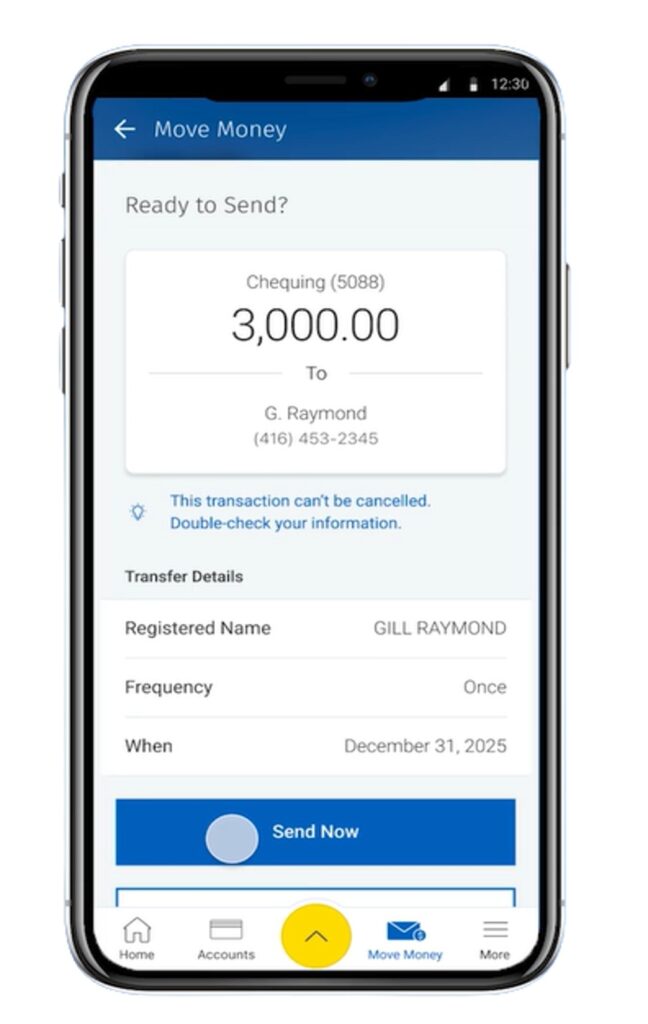
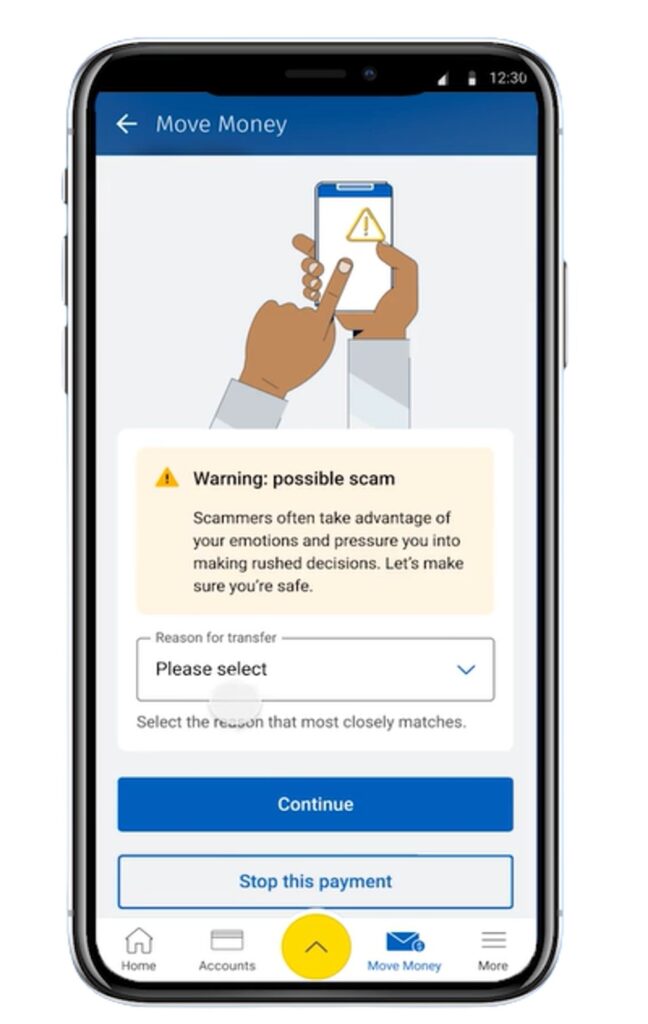
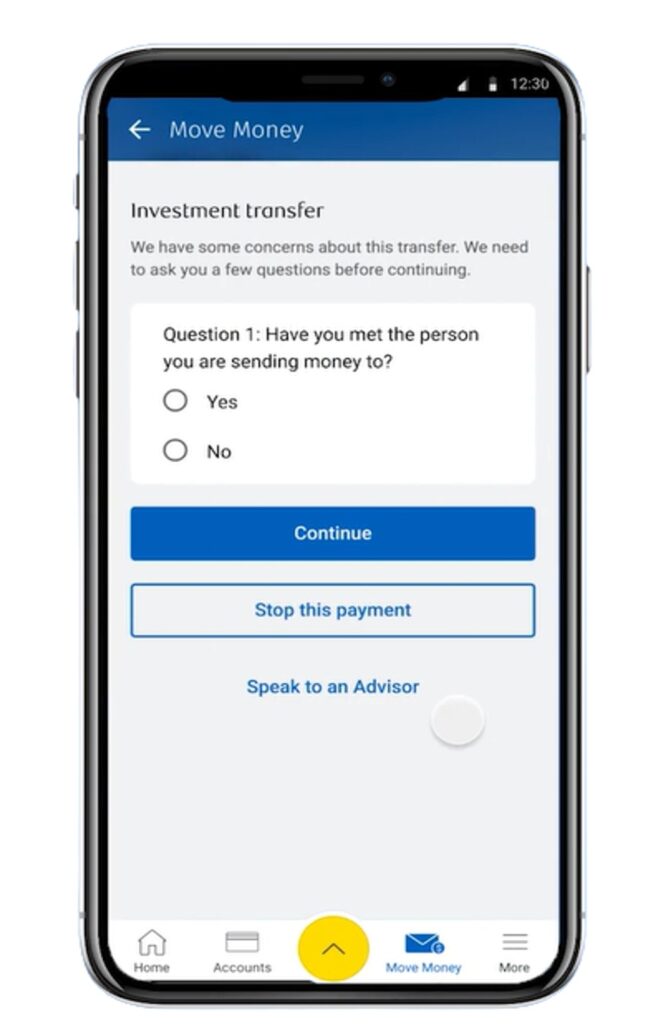
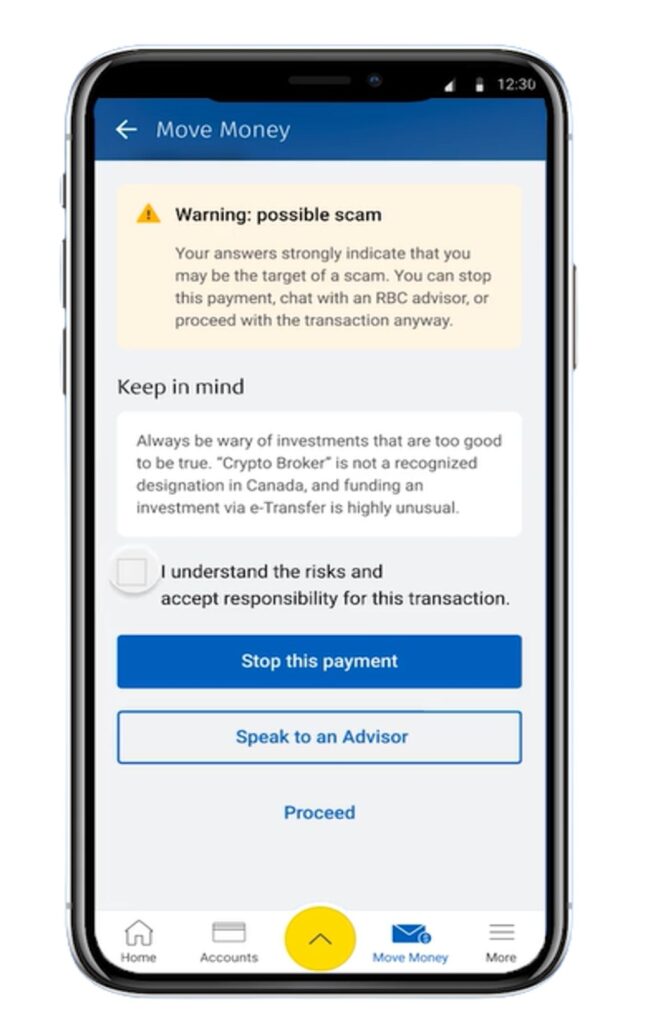
The feature is a prompt to pause. If you get one, stop and verify the recipient through a source you already trust. Apply the same checks when there’s no prompt. RBC’s announcement describes how the feature works and gives no figures on detection accuracy or how much fraud it has prevented. Interac says a transfer can’t be cancelled once the recipient has deposited the money. With Autodeposit, that can happen without the recipient taking an extra step. See Interac’s consumer FAQ.
How I’d check a holiday deal before paying
For a store you recognize, open it directly. If a social ad offers a sharp discount on headphones or a game console, open the retailer’s app, use a bookmark, or type the address you already know. Search for the same model and price there. A padlock tells you the connection is encrypted. A fake shop can have one too.
For a store you’ve never heard of, check who’s behind it. Read the domain carefully, look for reviews outside the seller’s own site, and check whether the business lists a verifiable way to contact it and a clear return policy. Compare the exact model number and price with another retailer. If the offer only exists behind an ad and the seller is hard to verify, skip it.
For a marketplace purchase, be wary of deposits. A seller who asks for money to hold an item while immediately pushing you off the platform is giving you less time and fewer ways to verify the deal. Where practical, inspect the item before paying, or use the marketplace’s checkout when it offers buyer protection for that purchase.
For a text that arrives after you shop, check the order yourself. If a delivery message asks for a small fee or says your address is incomplete, open the order in the retailer’s app or check the tracking number through the carrier’s official site. If someone claiming to be your bank asks for a one-time code or wants you to approve a sign-in you didn’t start, stop the conversation and contact the bank directly.
What to do if you’ve already paid
Contact your bank or card issuer right away using the number on your card or in the official app. Tell them how you paid, what information you shared and when it happened. Save the listing or web address, messages, receipts and transaction details. The Canadian Anti-Fraud Centre advises victims to report to local police and to the centre. You can also report a scam attempt you witnessed. Use the Canadian Anti-Fraud Centre reporting page.
The next time a seller tells you a deal will disappear unless you pay now, close the chat and give yourself a minute to check. RBC’s warning is designed to create that opening before an e-Transfer goes through. You can take the same minute at any checkout.
Related on GetConnected: How TELUS Scam Protection works and how to spot holiday shopping scams.