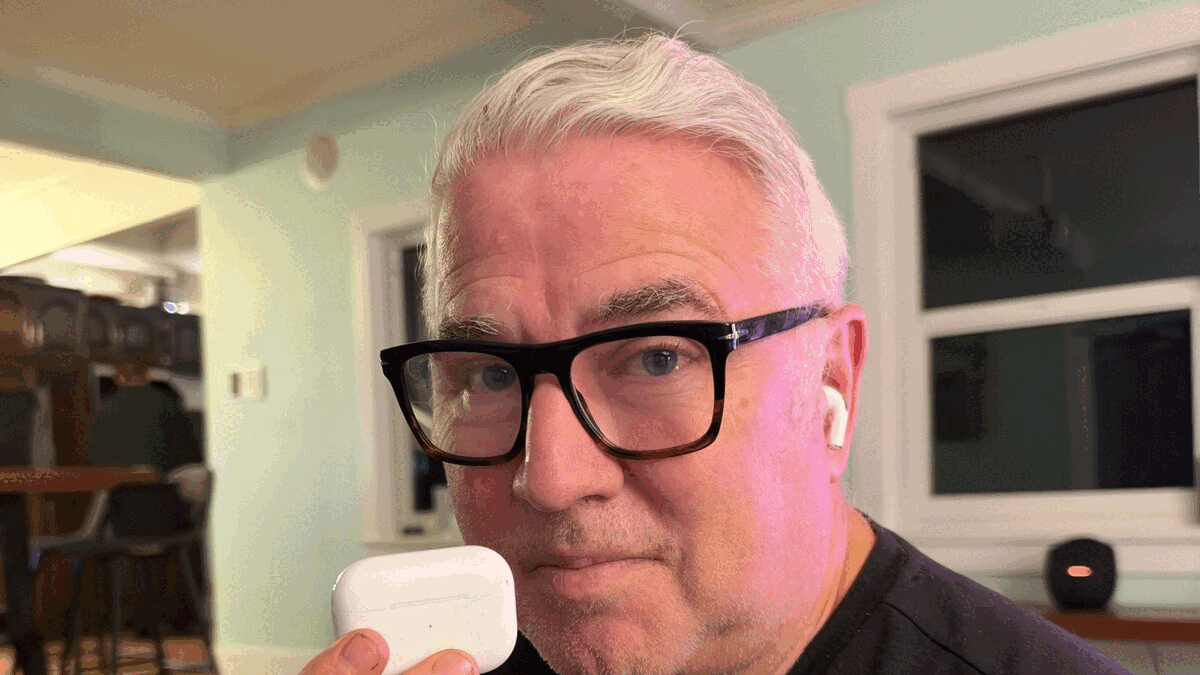
Apple’s hearing health features are now available in Canada, turning AirPods Pro 2 and 3 into something much more than wireless earbuds. I spent more than a week testing the technology, and here’s what I discovered.
By Mike Agerbo | GetConnected
What if the wireless earbuds you already use to listen to music, make phone calls and watch videos could also help you
hear the world around you?
That’s now a reality for more Canadians, thanks to Apple’s Hearing Test and Hearing Aid features for AirPods Pro 2 and AirPods Pro 3.
On October 26, 2026, Apple announced the Canadian rollout of its hearing health technology. The Hearing Test feature is being introduced across Canada, while the clinical-grade Hearing Aid feature is initially available in five provinces, including British Columbia.
And this isn’t simply a feature that makes everything louder. Apple has developed a personalized hearing assistance system designed for adults with mild to moderate hearing loss.
As someone who’s noticed that my hearing isn’t quite what it used to be, I was particularly interested in trying this technology.
So I grabbed my second-generation AirPods Pro and put them to the test.
My Experience: Can AirPods Really Help You Hear Better?
As I’ve gotten older, I’ve noticed that I sometimes have difficulty hearing conversations. Maybe someone is calling me from another room, or I’m in a restaurant trying to follow what people are saying over the background noise.
It’s not necessarily something you notice all at once. Sometimes you simply realize you’re asking people to repeat themselves more often.
So when I heard that Apple was bringing its hearing aid functionality to Canada, I was intrigued.
I’ve been testing the feature for about a week and a half using my AirPods Pro 2, and I’ve been impressed with the results.
But first, you need to take a hearing test.
Taking Apple’s Hearing Test: Find a Quiet Room!
One of the things I appreciate about Apple’s approach is that you don’t need specialized equipment to get started. You just need compatible AirPods Pro and an updated iPhone or iPad.
You open your AirPods settings, scroll down to Hearing Health and select the Hearing Test.
The test takes approximately five minutes and uses a technique called pure-tone audiometry, a standard method for evaluating hearing.
Before starting, Apple asks several questions, including whether you’re over 18, have recently experienced an ear or sinus infection, or have been exposed to loud noises.
Then you put your AirPods in and complete a fit test to make sure they’re properly seated in your ears.
Here’s something I learned very quickly: you need to find a really quiet room.
I initially tried taking the test in my kitchen and several other rooms in the house. I thought they were quiet enough, but the iPhone kept detecting background noise.
Even relatively small sounds can interfere with the test.
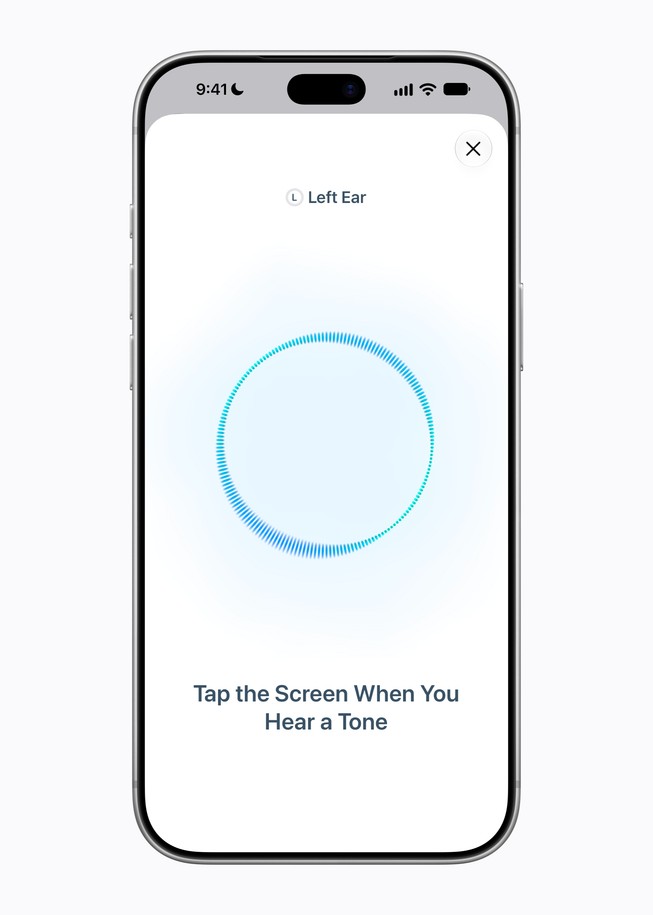
Once you’ve found a suitable location, the test plays a series of tones through each AirPod, one ear at a time. You simply tap the screen whenever you hear a sound.
It’s straightforward, and Apple walks you through the entire process.
At the end, you receive a summary of your hearing levels, including results for each ear and an audiogram.
These results are stored in Apple’s Health app, where you can review them or share them with a hearing healthcare professional.
Turning AirPods Pro Into Hearing Aids
Once you’ve completed the test, eligible users with mild to moderate hearing loss can enable the Hearing Aid feature.
This is where things get interesting.
Rather than simply amplifying everything around you, AirPods Pro use your personalized hearing profile to adjust sound based on your hearing needs.
You can also fine-tune several settings, including amplification, tone, ambient noise reduction and how loudly you hear your own voice.
I particularly like the ability to adjust amplification directly using the touch controls on the AirPods Pro stems. That means you don’t have to pull out your phone every time you want to make a change.
There’s also a feature called Conversation Boost, which helps emphasize speech coming from directly in front of you.
I’ve been using Conversation Boost during my testing, and I find it particularly helpful when talking with other people.
In fact, after a week and a half of trying the technology in different environments, I’ve noticed a significant improvement in my ability to follow conversations.
At home, it’s easier to hear someone calling me from another room.
In restaurants or when I’m with a group of people, the additional amplification has helped me make out what people are saying.
It’s not perfect, and everyone’s hearing needs are different, but for me, the difference has been noticeable.
And the fact that I can do all of this with a pair of AirPods I already own makes the technology even more appealing.
Watch My Hands-On Demonstration
I recorded a video walking through the complete setup process, including taking Apple’s Hearing Test, configuring the Hearing Aid feature and adjusting the sound.
Watch: I Turned My AirPods Pro Into Hearing Aids — Here’s What Happened
Where Is the AirPods Pro Hearing Aid Feature Available in Canada?
While Apple’s Hearing Test was announced for availability across Canada, the Hearing Aid feature is initially limited to provinces that permit the over-the-counter distribution of hearing aids.
As of Apple’s October 26, 2026 announcement, those provinces are:
- British Columbia
- Alberta
- Saskatchewan
- New Brunswick
- Prince Edward Island
Apple says it’s working with provincial authorities to expand availability across the country.
The Hearing Aid feature is supported on both AirPods Pro 2 and AirPods Pro 3, so you don’t necessarily need the newest model to take advantage of the technology.
You’ll need the latest AirPods firmware and a compatible iPhone or iPad running iOS 27.2 or iPadOS 27.2 or later.
Availability is subject to regulatory requirements, so it’s worth checking Apple’s current Canadian feature-availability information before getting started.
One Important Limitation: Battery Life
While Apple’s hearing aid technology is impressive, there is one important drawback compared with traditional hearing aids: battery life.
Many dedicated rechargeable hearing aids are designed to operate throughout the day, often providing approximately 16 to 24 hours or more of use, depending on the model and settings.
AirPods Pro, on the other hand, require more frequent charging.
Here’s how Apple’s two compatible generations compare when using the Hearing Aid feature:
| Model | Hearing Aid Battery Life |
|---|---|
| AirPods Pro 2 | Approximately 6 hours |
| AirPods Pro 3 | Up to 10 hours |
These are Apple’s published battery-life figures, and actual performance will depend on usage, settings and battery condition.
The AirPods Pro 2, which I used during my testing, offer approximately six hours of use per charge. That means if you’re relying on them for hearing assistance throughout the day, you’ll need to take breaks to put them back in their charging case.
The newer AirPods Pro 3 offer a substantial improvement, with up to ten hours of hearing aid use on a single charge.
That’s much closer to an entire day, although it still falls short of the battery life offered by many dedicated hearing aids.
And unlike traditional hearing aids, you’re probably also using your AirPods for music, phone calls, podcasts and videos.
For occasional use, such as conversations, restaurants or watching television, battery life may not be a major issue. But if you need hearing assistance from morning until bedtime, it’s definitely something to consider.

Why This Technology Matters
Hearing loss is much more common than many people realize.
According to Statistics Canada research cited by Apple, nearly one in five Canadians reports hearing difficulties.
And hearing loss isn’t simply about missing part of a conversation.
Research has linked untreated hearing loss with social isolation, reduced quality of life and an increased risk of dementia.
When people find conversations increasingly difficult or exhausting, they may begin avoiding social situations altogether.
That’s one of the reasons making hearing assistance more accessible is so important.
Andrea Bull, CEO of Vancouver-based Wavefront Centre for Communication Accessibility, says innovations like these can help people take a more active role in managing their hearing health.
“Technology plays an important role in helping people communicate, participate, and connect with the world around them,” said Bull.
She also emphasizes that hearing technology can help reduce stigma while encouraging people to seek professional audiology care when needed.
I think that’s an important point.
There’s still a perception among some people that hearing aids are something associated with getting older. But millions of people already wear wireless earbuds throughout the day.
Being able to use a familiar, everyday device for hearing assistance could encourage more people to address hearing difficulties sooner.
Don’t Skip a Professional Hearing Assessment
While Apple’s technology offers a convenient way to check your hearing at home, it’s important to understand that the Hearing Test isn’t a replacement for a professional hearing assessment.
If you suspect you’re experiencing hearing loss, you should consult your healthcare provider or a qualified audiologist.
A hearing healthcare professional can perform a comprehensive evaluation, investigate the possible causes of hearing difficulties and recommend appropriate treatment or hearing assistance.
Not all hearing problems can be addressed simply by amplifying sound.
Apple’s Hearing Aid feature is intended for adults aged 18 or older with perceived mild to moderate hearing loss. People with more significant hearing difficulties may require specialized devices or other medical care.
If you experience sudden hearing loss, particularly in one ear, seek urgent medical attention rather than relying on an at-home hearing test.
Think of Apple’s hearing health features as another tool that can help you become more aware of your hearing, not a replacement for professional advice.
How to Get Started With Your AirPods Pro
If you already have AirPods Pro 2 or AirPods Pro 3, getting started is fairly straightforward.
- Make sure your AirPods are running the latest firmware and your compatible iPhone or iPad is updated.
- Connect your AirPods and open their settings.
- Scroll down to Hearing Health and select the Hearing Test.
- Find a very quiet room and complete Apple’s ear-tip fit test.
- Follow the instructions and tap the screen whenever you hear a tone.
- Review your hearing test results and recommendations.
- If you’re eligible and live in a province where the feature is available, follow the prompts to enable Hearing Aid.
- Adjust the amplification, tone, noise reduction and Conversation Boost settings to suit your needs.
Your hearing results can also be shared with a healthcare professional, and you can use a compatible audiogram from a professional hearing assessment to configure the Hearing Aid feature.
What About Privacy?
Because the Hearing Test involves personal health information, privacy is another important consideration.
Apple stores hearing test results in the Health app on your iPhone or iPad, including your audiogram and hearing classifications.
According to Apple, Health app information is encrypted when your device is secured with a passcode, Face ID or Touch ID.
Health information synced through iCloud can also be protected with end-to-end encryption when the necessary security settings are enabled.
For people who are concerned about sharing sensitive health information, it’s reassuring that the results can remain under their control and can be shared with a healthcare provider when they choose.
The Bottom Line: Are AirPods Pro Worth Using as Hearing Aids?
After spending more than a week testing Apple’s Hearing Aid feature, I’m impressed with what the company has accomplished.
The ability to take a hearing test at home, create a personalized hearing profile and make conversations easier to follow using earbuds I already own is pretty remarkable.
For me, the biggest benefit has been the improvement in hearing conversations, particularly in situations where background noise makes it difficult to understand what people are saying.
There are limitations, of course.
Battery life isn’t as long as many dedicated hearing aids, and the technology isn’t designed for every type or degree of hearing loss.
It also shouldn’t replace a proper hearing assessment if you suspect you have a problem.
But for Canadians with mild to moderate hearing loss, especially those who already own compatible AirPods Pro, this is a feature worth exploring.
The biggest breakthrough may not be that AirPods Pro can function as hearing aids.
It’s that Apple is making hearing assistance more accessible, less intimidating and available through technology millions of people are already comfortable using.
And that’s something worth listening to.
Want to see how it works? Watch my complete hands-on review and setup demonstration on the GetConnected YouTube channel.
Additional information and sources
Apple Canada — Hearing Test and Hearing Aid announcement, October 26, 2026:
https://www.apple.com/ca/newsroom/2026/10/hearing-test-available-today-with-airpods-pro-in-canada/
Apple — AirPods hearing health feature availability:
https://www.apple.com/ca/airpods-pro/feature-availability/
Apple — AirPods Pro 3 technical specifications:
https://www.apple.com/airpods-pro/specs/
Hearing Aid features are intended for adults with perceived mild to moderate hearing loss. Regional availability and system requirements may change. Consult a qualified hearing healthcare professional if you have concerns about your hearing.